<?xml version="1.0" encoding="UTF-8"?>
<product>
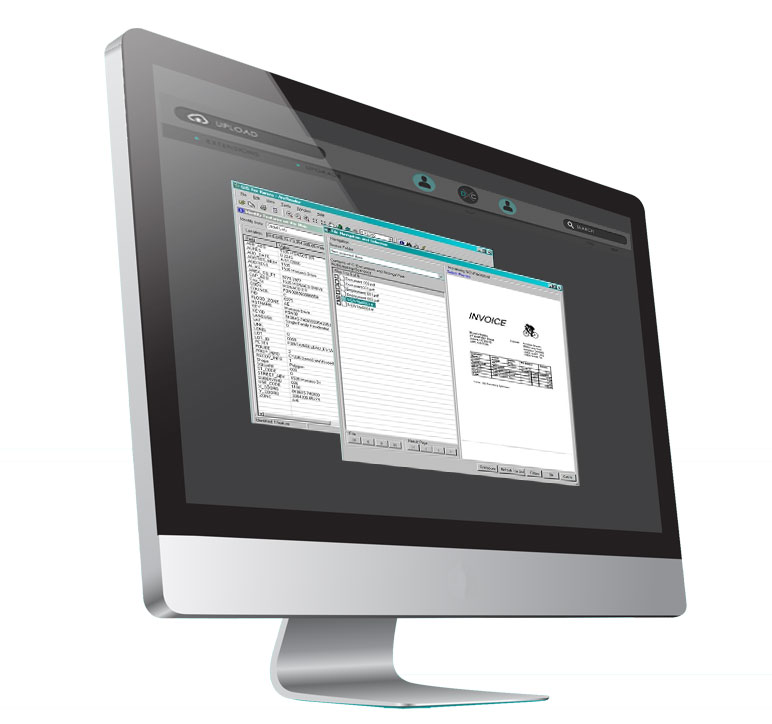
  <body-html>&lt;p&gt;&lt;strong&gt;AppConnector integrates applications quickly and easily&lt;/strong&gt; by automating data extraction, conversion and population of any desktop window. Built on a flexible architecture, AppConnector allows for effortless extensibility and is perfect for any work environment. If you need to bring information from one desktop application to another or would like information converted to a Windows environment, AppConnector is the answer.&lt;/p&gt;


	&lt;p&gt;&lt;strong&gt;No More Cut &amp;#8216;n Paste&lt;/strong&gt;&lt;br /&gt;AppConnector allows line of business applications running in a Windows environment (including host-based systems such as mainframes or iSeries) to pass data to and from other applications. Integration between applications is done without making source code changes to the legacy or host based program.&lt;/p&gt;


	&lt;p&gt;The power of AppConnector resides in its extensibility.  No matter what applications are running on the desktop, AppConnector can integrate them into a cohesive system that allows data to pass easily between applications, reducing errors and increasing throughput.&lt;/p&gt;


	&lt;p&gt;&lt;strong&gt;AppConnector Features&lt;/strong&gt;&lt;/p&gt;


	&lt;p&gt;- Line Of Business (LOB) application screens and fields are configured with a point and click interface. New screens can be configured in less than a minute.&lt;/p&gt;


	&lt;p&gt;- Events to start an integrated action can be configured as buttons, hot-keys, or triggered when certain screens appear. Events can also be filtered depending on what data is on the screen.&lt;/p&gt;


	&lt;p&gt;- Repetitious manual tasks can be automated to improve workflow and make users more efficient. Transferring data rather than re-typing it drastically reduces errors.&lt;/p&gt;


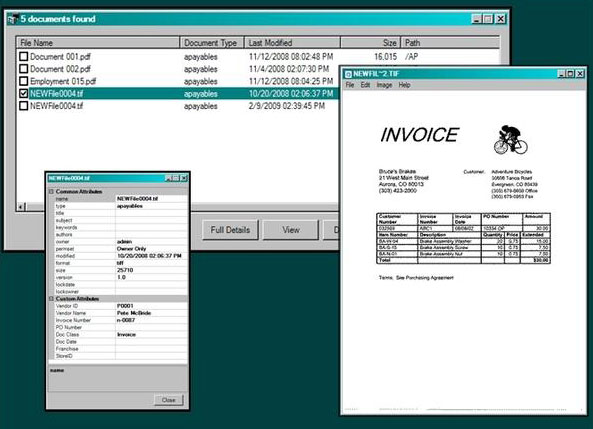
	&lt;p&gt;&lt;strong&gt;Batch Indexing&lt;/strong&gt;&lt;br /&gt;AppConnector includes a &amp;#8220;Batch Indexing&amp;#8221; component that allows users the ability to browse, select and view files in a folder for processing. Typically, this can be used in conjunction with a scanner so that images can be indexed and submitted to an imaging system. Because AppConnector is able to read data from desktop systems, data for indexing can come from other applications (e.g. Accounting Screens) &lt;em&gt;automagically&lt;/em&gt;, saving time and eliminating errors.&lt;/p&gt;</body-html>
  <created-at type="datetime">2008-09-18T14:02:29-06:00</created-at>
  <handle>appconnector</handle>
  <id type="integer">3295332</id>
  <product-type>Software Tools</product-type>
  <published-at type="datetime">2008-09-18T14:02:29-06:00</published-at>
  <template-suffix nil="true"></template-suffix>
  <title>AppConnector</title>
  <updated-at type="datetime">2008-11-02T11:10:33-07:00</updated-at>
  <vendor>Karora Technologies Inc</vendor>
  <tags>integration, software, tools</tags>
  <body>*AppConnector integrates applications quickly and easily* by automating data extraction, conversion and population of any desktop window. Built on a flexible architecture, AppConnector allows for effortless extensibility and is perfect for any work environment. If you need to bring information from one desktop application to another or would like information converted to a Windows environment, AppConnector is the answer.

*No More Cut 'n Paste*
AppConnector allows line of business applications running in a Windows environment (including host-based systems such as mainframes or iSeries) to pass data to and from other applications. Integration between applications is done without making source code changes to the legacy or host based program. 

The power of AppConnector resides in its extensibility.  No matter what applications are running on the desktop, AppConnector can integrate them into a cohesive system that allows data to pass easily between applications, reducing errors and increasing throughput.

*AppConnector Features*

- Line Of Business (LOB) application screens and fields are configured with a point and click interface. New screens can be configured in less than a minute.

- Events to start an integrated action can be configured as buttons, hot-keys, or triggered when certain screens appear. Events can also be filtered depending on what data is on the screen.

- Repetitious manual tasks can be automated to improve workflow and make users more efficient. Transferring data rather than re-typing it drastically reduces errors.

*Batch Indexing*
AppConnector includes a &quot;Batch Indexing&quot; component that allows users the ability to browse, select and view files in a folder for processing. Typically, this can be used in conjunction with a scanner so that images can be indexed and submitted to an imaging system. Because AppConnector is able to read data from desktop systems, data for indexing can come from other applications (e.g. Accounting Screens) _automagically_, saving time and eliminating errors. 
</body>
  <variants type="array">
    <variant>
      <compare-at-price type="decimal" nil="true"></compare-at-price>
      <created-at type="datetime">2008-09-18T14:02:29-06:00</created-at>
      <fulfillment-service>manual</fulfillment-service>
      <grams type="integer">0</grams>
      <id type="integer">7727092</id>
      <inventory-management></inventory-management>
      <inventory-policy>deny</inventory-policy>
      <inventory-quantity type="integer">1</inventory-quantity>
      <option1>Default</option1>
      <option2 nil="true"></option2>
      <option3 nil="true"></option3>
      <position type="integer">1</position>
      <price type="decimal">4950.00</price>
      <product-id type="integer">3295332</product-id>
      <requires-shipping type="boolean">true</requires-shipping>
      <sku></sku>
      <taxable type="boolean">true</taxable>
      <title>Default</title>
      <updated-at type="datetime">2008-11-02T11:10:33-07:00</updated-at>
    </variant>
  </variants>
  <images type="array">
    <image>
      <created-at type="datetime">2008-09-18T14:02:29-06:00</created-at>
      <id type="integer">9927122</id>
      <position type="integer">4</position>
      <product-id type="integer">3295332</product-id>
      <updated-at type="datetime">2008-11-02T11:10:33-07:00</updated-at>
      <src>http://cdn.shopify.com/s/files/1/0018/4352/products/DBOX.jpg?1268033492</src>
    </image>
    <image>
      <created-at type="datetime">2008-09-18T14:02:29-06:00</created-at>
      <id type="integer">9927132</id>
      <position type="integer">5</position>
      <product-id type="integer">3295332</product-id>
      <updated-at type="datetime">2008-11-02T11:10:33-07:00</updated-at>
      <src>http://cdn.shopify.com/s/files/1/0018/4352/products/Documentmall_tasks.jpg?1268033492</src>
    </image>
    <image>
      <created-at type="datetime">2008-09-18T14:02:29-06:00</created-at>
      <id type="integer">9927162</id>
      <position type="integer">6</position>
      <product-id type="integer">3295332</product-id>
      <updated-at type="datetime">2008-11-02T11:10:33-07:00</updated-at>
      <src>http://cdn.shopify.com/s/files/1/0018/4352/products/FN_S.jpg?1268033492</src>
    </image>
    <image>
      <created-at type="datetime">2008-09-18T14:02:29-06:00</created-at>
      <id type="integer">9927192</id>
      <position type="integer">7</position>
      <product-id type="integer">3295332</product-id>
      <updated-at type="datetime">2008-11-02T11:10:33-07:00</updated-at>
      <src>http://cdn.shopify.com/s/files/1/0018/4352/products/GIS_screen.jpg?1268033492</src>
    </image>
    <image>
      <created-at type="datetime">2008-09-18T14:02:29-06:00</created-at>
      <id type="integer">9927202</id>
      <position type="integer">8</position>
      <product-id type="integer">3295332</product-id>
      <updated-at type="datetime">2008-11-02T11:10:33-07:00</updated-at>
      <src>http://cdn.shopify.com/s/files/1/0018/4352/products/Mag_Card_Swipe_Event.jpg?1268033492</src>
    </image>
    <image>
      <created-at type="datetime">2008-09-18T14:02:29-06:00</created-at>
      <id type="integer">9927212</id>
      <position type="integer">9</position>
      <product-id type="integer">3295332</product-id>
      <updated-at type="datetime">2008-11-02T11:10:33-07:00</updated-at>
      <src>http://cdn.shopify.com/s/files/1/0018/4352/products/Notify_task_2.jpg?1268033492</src>
    </image>
    <image>
      <created-at type="datetime">2008-09-18T14:02:29-06:00</created-at>
      <id type="integer">9927222</id>
      <position type="integer">10</position>
      <product-id type="integer">3295332</product-id>
      <updated-at type="datetime">2008-11-02T11:10:33-07:00</updated-at>
      <src>http://cdn.shopify.com/s/files/1/0018/4352/products/Notify_task.jpg?1268033492</src>
    </image>
    <image>
      <created-at type="datetime">2008-09-18T14:02:29-06:00</created-at>
      <id type="integer">9927232</id>
      <position type="integer">11</position>
      <product-id type="integer">3295332</product-id>
      <updated-at type="datetime">2008-11-02T11:10:33-07:00</updated-at>
      <src>http://cdn.shopify.com/s/files/1/0018/4352/products/SCE_task.jpg?1268033492</src>
    </image>
  </images>
  <options type="array">
    <option>
      <name>Title</name>
    </option>
  </options>
</product>